A year ago, my work stopped at a clickable prototype. I'd hand off a Figma file, a spec doc, and a conversation about what the hover state was supposed to do, then wait to see what came back from development.
The first shift was adding an AI-tool prototype to the handoff: a working build alongside that same Figma file, spec doc, and conversation, something a developer could click through rather than just read about. The conversations got sharper because there was something real to react to.
We can do more than that now. A designer can hand off work that's bound to the design system, responsive on a real phone, accessible, and verified in a running browser. Work that is ready to go to a developer for their systems expertise, the polish that turns something functional into something fully deployable.
One designer can get there through trial and error. A team needs a common skill set the whole group works from, because these tools will happily produce work that looks finished. Here's what that takes, and where it still breaks.
Agree on what "production-ready" means with new AI workflows
The first step is to decide what "ready" means. The bar is worth naming out loud, because "I made it in an AI tool" and "this can ship" are two different claims entirely. Here's where I'd start that conversation:
- What counts as "bound to the system" for your team: exact tokens and components, or close enough with sign-off?
- What device and breakpoint do you actually test against, and who owns checking it?
- Does accessibility get checked while you build, or in a separate pass before ship?
- Who verifies the real flow before you call it done, and where does that happen?
- Where does the reasoning get written down, and who keeps it current?
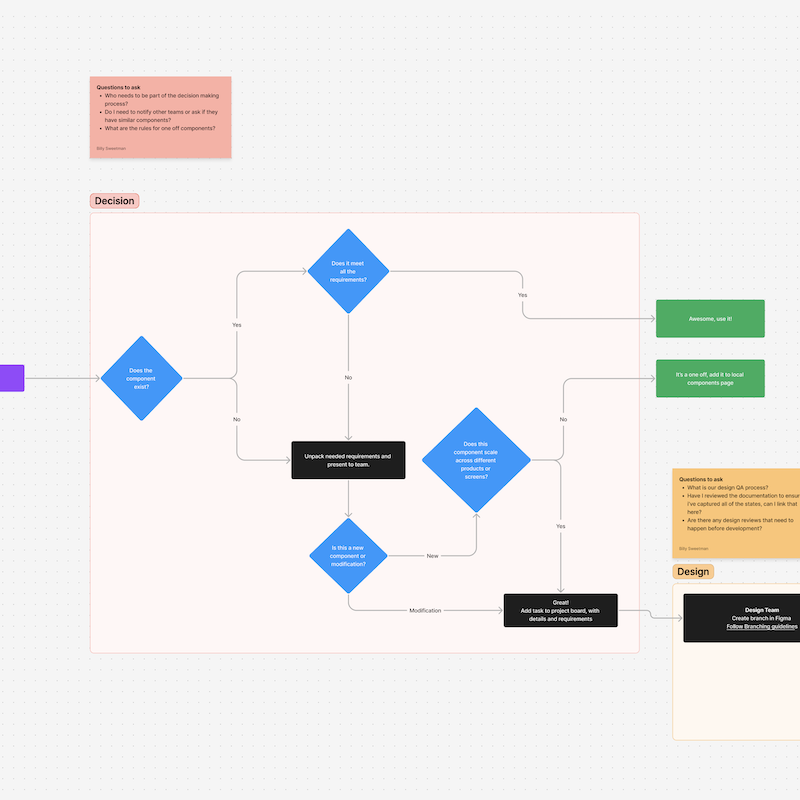
Then argue over the answers, in the right room. This is a decision three groups make together, and each holds a piece nobody else has. Design knows what the work is supposed to feel like: the interaction states, the detail bar, the accessibility requirements that get quietly dropped when someone's in a hurry. Development knows what the codebase will actually accept: what's maintainable, what turns into a performance problem in six months, which constraints are real and which are just habit. Whoever signs off (product, brand, sometimes legal) knows what makes a thing shippable to a customer, which is rarely the same list.
Handoff friction mostly comes from "done" quietly meaning something different to each of them. Most of it disappears once all three read from one definition. And a written bar gives you something to point at the next time work shows up at "close enough."
The skills worth building as a team
Next comes building up your team's skill set. Here's the part that surprised me: the list is short. A designer needs a handful of tools and habits, and can lean on development for the genuinely technical parts. That's the whole trick, and it's why this is something you can teach a team rather than hire for.
Working from the design system
This is the anchor. Work built from the system's real components stays consistent with everything else the organization ships, and that consistency is most of the value. See where your design system sits on the readiness curve.
HTML and CSS fundamentals
Just enough to understand how a page is put together, adjust it, and talk to developers without a translator. Nobody is trying to turn anyone into a developer here. They don't need to.
The version-control workflow
GitHub, branches, pull requests: how design work enters the same pipeline as everyone else's. This was newer to me than the code itself, and it mattered more.
Getting real results from AI tools
Steering and correcting a build tool until it produces what was actually intended. This is the skill doing the heavy lifting right now, and it compounds fast once the system is legible to the tool. We used it to re-skin an entire design system in a few hours.
Knowing what to hand to development
The judgment to tell "I can carry this" from "this is real development," and to pass the second kind along without any ego about it. The handoff itself keeps getting lighter, too, as MCPs automate more of the translation.
Checking your own work
The habit that separates "looks done" from "actually works." In practice, it's a handful of checks:
- Open the running thing and click through the actual flow. Never trust a screenshot.
- Tab through it with the keyboard and run a contrast check.
- Check the states everyone forgets: empty, loading, error, long content.
- Re-read every change, line by line, before it goes out. (This catches more than I'd like to admit.)
These skills can be learned quickly. What's underneath them is harder to teach: caring enough about the details to ask for one more pass, from the tool and from each other.
Where this doesn't work yet
All of this leans on senior judgment, and that judgment is mostly about standards.
AI tools hand you something plausible. We've all said it: "This looks pretty good." Then, after closer inspection, you find 11 pixels of spacing instead of the 12 pixels outlined by your design system, and a visual hierarchy that almost works until you try to complete a task and it just feels clunky.
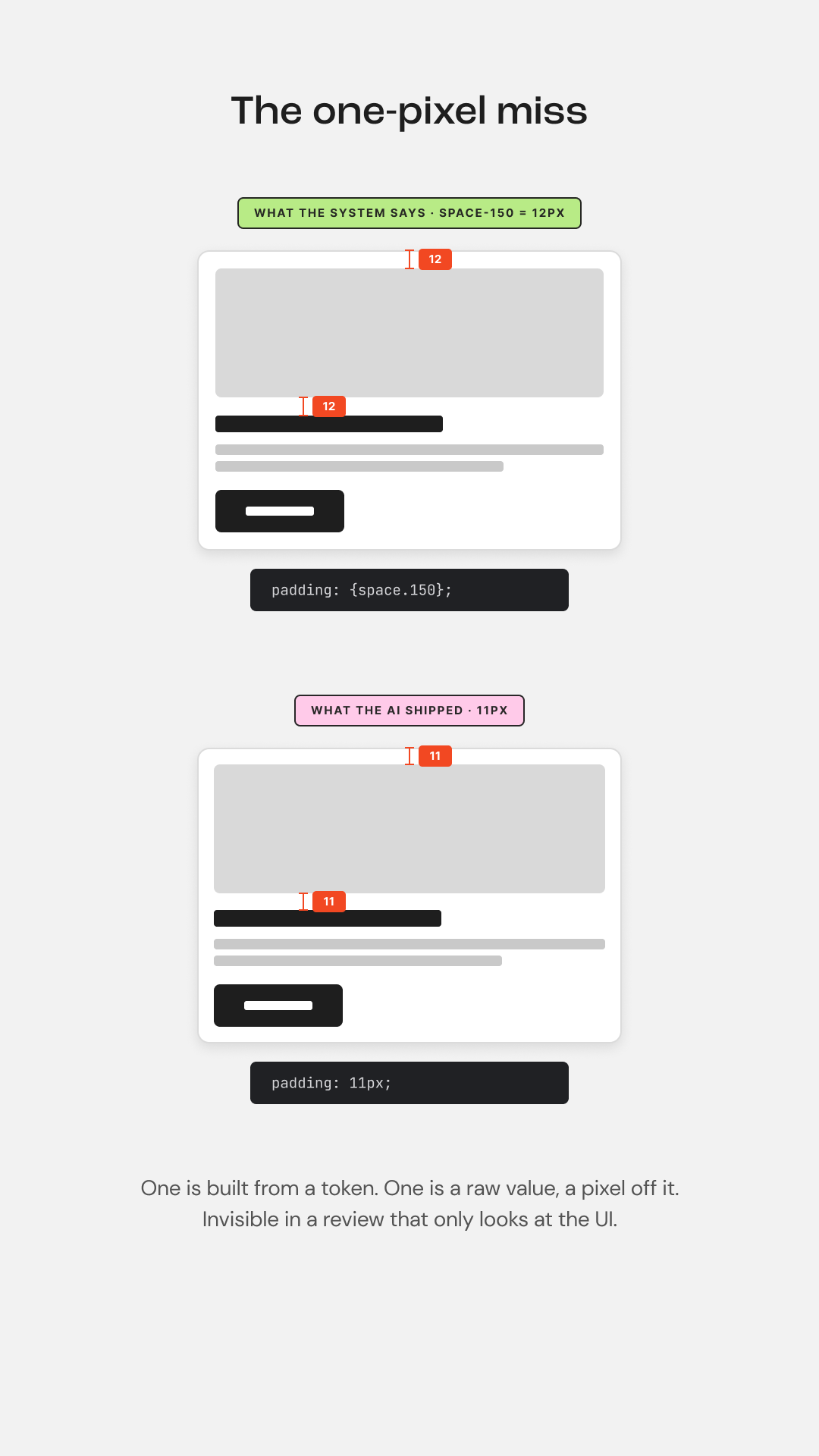
Someone has to look at that and say it's close, not done. Caring the most about the details is what holds the AI accountable.
Which raises the question: what about a junior designer? I wouldn't hand this to one unsupported. A junior designer needs a senior designer coaching them toward what "done" looks like and the confidence to reject work that hasn't reached it.
Start in a day, ramp in a quarter
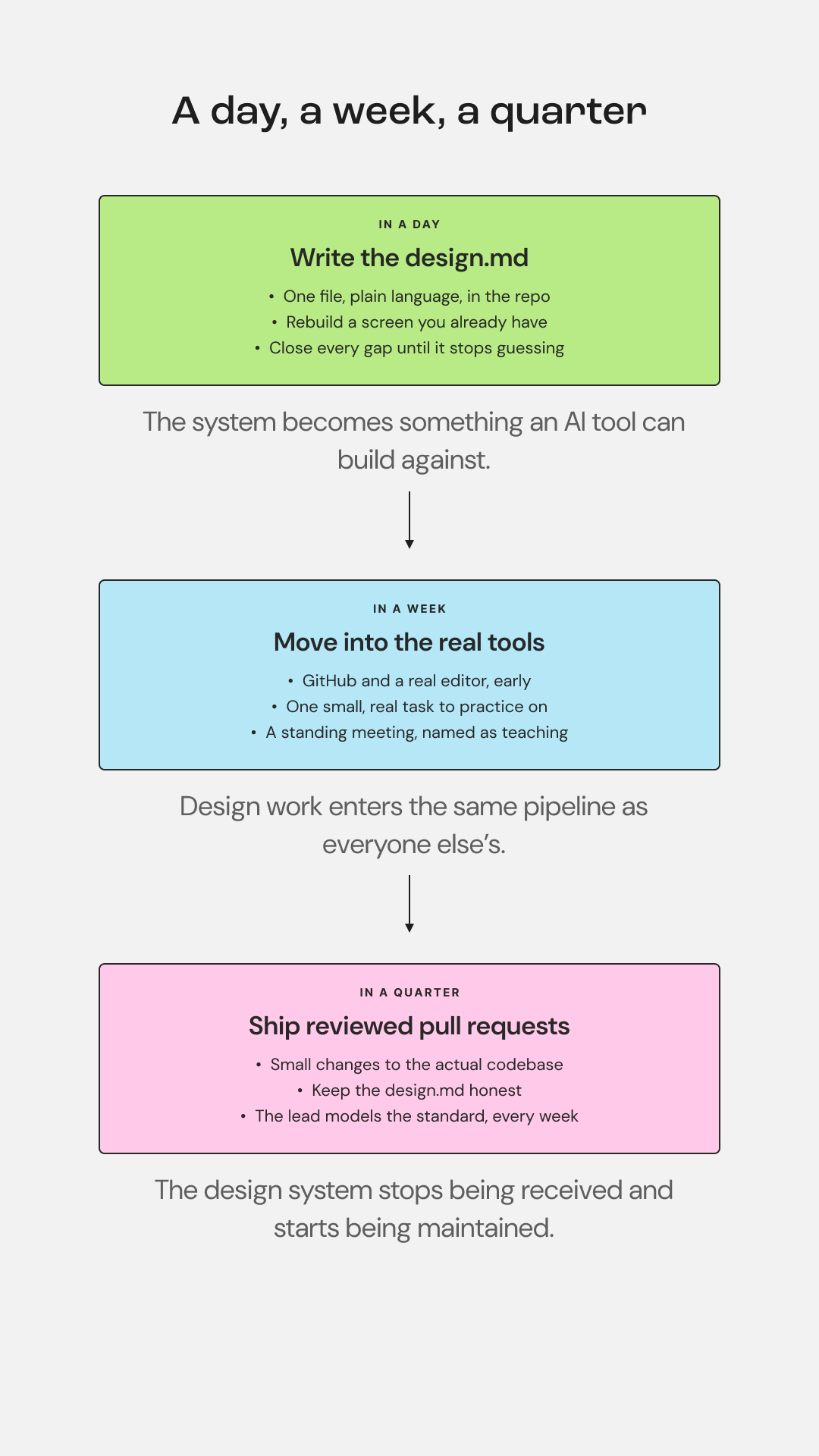
So how do you train your designers to create deployable work? It comes down to doing the work, hands-on. If the coded foundation isn't there yet, that's usually where we start with a team.
In a day
Get your design system into a format an AI tool can actually use, and check that it matches what your designers and developers are already building with. In practice, that's a design.md: one file, plain language, in the repo. Your tokens and what each is for. The type scale. The spacing rules. The components you actually have, with their real variants and states. Your accessibility bar. Most of this already exists if your tokens are set up properly in Figma, the file just makes it legible to a tool. Then test it, rigorously. Ask the tool to rebuild a screen you already have and compare the two line by line.
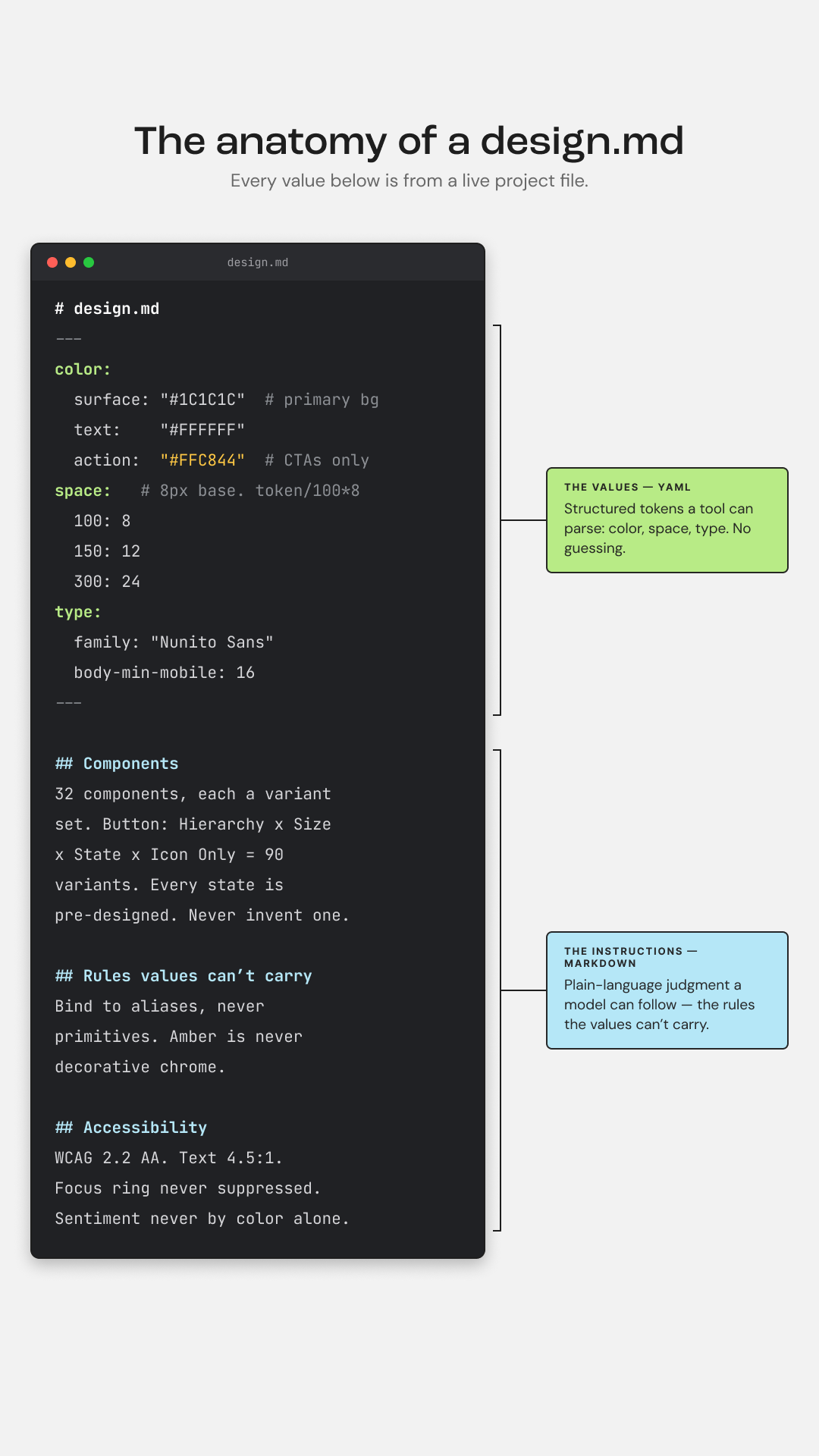
Everywhere it guessed is a gap in the file. Close the gap, run it again, and keep going until it stops guessing. It's about making the system readable to agents.
In a week
Get your designers comfortable in the tools developers already work in: GitHub and a real editor like VS Code.
Version control is the part that takes longest to click, so start it before anyone has real work on the line, and hand them one small, real task to practice on. Then put a standing meeting on the calendar between design and development, explicitly to coach the designers up.
In a quarter
Get your designers contributing to front-end code: small, reviewed pull requests against the actual codebase. It helps to give them the atomic design vocabulary that connects design to front-end code first.
That's not the same as becoming a developer. It's the point where the design system stops being a document they receive and starts being something they maintain. Keep the design.md honest as they go, the same way you'd keep the rest of the system from going stale. It goes stale the moment a component changes, and a stale file quietly teaches every AI session the wrong thing.
I'm still learning this, and the tools keep changing under me while I do. But my work doesn't stop at the Figma file anymore, and there's no going back.